.webp)
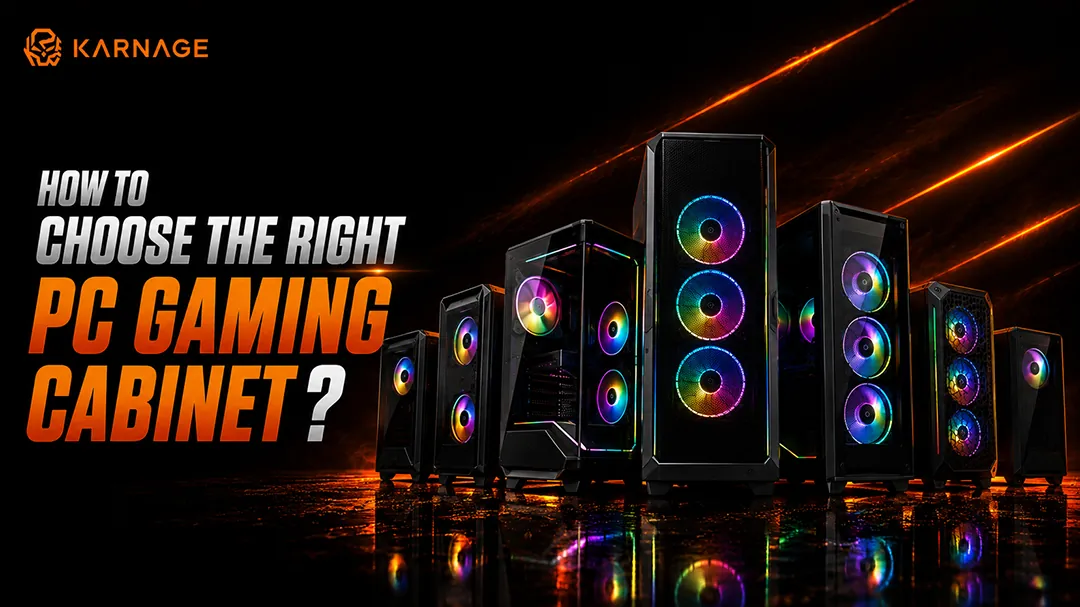
Building a gaming PC involves more than selecting a powerful processor, graphics card, and motherboard. The cabinet is equally important because it houses and protects your components while affecting airflow, cooling, cable management, upgradeability, and the overall appearance of your setup.
Choosing the right gaming cabinet ensures that your components have enough room to operate efficiently and that your PC remains easy to maintain and upgrade. From motherboard compatibility and GPU clearance to fan support and cable management, several factors should be considered before making a purchase.
Whether you are building your first gaming PC or upgrading an existing system, this guide explains everything you need to know before choosing a gaming CPU cabinet.
Table of Contents
- What Is a PC Gaming Cabinet?
- Why Choosing the Right Gaming Cabinet Matters
- Types of PC Gaming Cabinets
- ATX vs Micro-ATX vs Mini-ITX Cabinets
- What Size Gaming Cabinet Should You Choose?
- Key Compatibility Factors
- Airflow: One of the Most Important Cabinet Features
- How Many Fans Should a Gaming Cabinet Have?
- Radiator and Liquid Cooling Support
- Gaming Cabinet Fan Sizes: 120mm vs 140mm
- GPU Clearance and Internal Space
- Storage Support
- Power Supply Compatibility
- Cable Management Features to Look For
- Front I/O Ports and Connectivity
- Tempered Glass vs Mesh Gaming Cabinets
- RGB and ARGB Lighting in Gaming Cabinets
- Dust Filters and Maintenance
- Vertical GPU Mounting: Is It Worth It?
- How Much Should You Spend on a Gaming Cabinet?
- Common Mistakes to Avoid
- How to Choose the Right PC Gaming Cabinet: Final Checklist
- Final Thoughts
- Frequently Asked Questions
What Is a PC Gaming Cabinet?
A PC gaming cabinet, also known as a computer case or chassis, is the enclosure that houses your motherboard, processor, graphics card, power supply, storage drives, cooling components, and other hardware. A gaming cabinet is designed to accommodate the requirements of modern gaming PCs. Compared with basic computer cases, gaming-focused cabinets often provide better airflow, larger fan mounting areas, improved cable management, graphics card clearance, RGB or ARGB lighting, and support for liquid cooling.
Modern cabinets are available in different sizes and designs. Some focus primarily on airflow, while others prioritize compact builds, aesthetics, RGB lighting, or extensive liquid-cooling support.
A good gaming CPU cabinet should provide enough room for your components, efficient airflow, convenient cable management, and sufficient space for future upgrades.
Why Choosing the Right Gaming Cabinet Matters
The cabinet plays an important role in how efficiently your PC operates. High-performance processors and graphics cards generate considerable heat while gaming, making proper airflow and cooling essential.
A suitable gaming cabinet can provide:
- Better airflow and temperature management
- Sufficient space for large graphics cards
- Support for CPU air coolers and AIO liquid coolers
- Convenient cable management
- Multiple fan mounting positions
- Better component protection
- Easier installation and maintenance
- Room for future upgrades
A poorly sized gaming CPU cabinet can create compatibility problems. A large GPU may not fit, an air cooler could be too tall, or a radiator may not have enough mounting space.
For example, if you are looking for a cabinet with a gaming-focused design, you can explore the Hyperbeast Black gaming cabinet while comparing its specifications with your planned components.
Types of PC Gaming Cabinets
Full Tower Cabinets
Full tower cabinets are among the largest options available. They provide extensive internal space for large motherboards, multiple graphics cards, storage drives, cooling systems, and expansion cards.
They are ideal for enthusiasts, high-end gaming systems, workstation-style builds, and PCs that require extensive liquid cooling. The additional internal space can also make component installation and cable management easier. However, full tower cabinets require more desk or floor space.
Mid Tower Cabinets
Mid tower cabinets are one of the most popular choices for mainstream gaming PCs. They provide a good balance between internal space, cooling, compatibility, and physical size. For most gamers, a quality mid-tower gaming cabinet provides enough room for an ATX or Micro-ATX motherboard, a full-size graphics card, multiple fans, storage devices, and a CPU cooler.
Mid-tower cabinets are generally a practical choice if you want a gaming PC that is easy to build without taking up excessive space.
Mini Tower Cabinets
Mini tower cabinets are smaller than traditional mid-tower models and are generally designed for Micro-ATX or smaller motherboards. They are suitable for users who want a relatively compact gaming PC while retaining more expansion and cooling flexibility than an ultra-compact system.
Small Form Factor (SFF) Cabinets
Small Form Factor cabinets are designed for compact PC builds. They can save significant desk space, but they require more careful component selection. Before purchasing an SFF gaming CPU cabinet, check GPU dimensions, PSU format, CPU cooler height, storage support, and cooling compatibility. Compact systems can be excellent for space-conscious users, but their restricted internal space can make installation and upgrades more challenging.
ATX vs Micro-ATX vs Mini-ITX Cabinets: What's the Difference?
Motherboard form factor is one of the most important compatibility considerations when selecting a gaming cabinet.
ATX Cabinets
ATX is a common motherboard form factor used in mainstream and high-performance gaming PCs. ATX-compatible cabinets generally provide good expansion space and multiple mounting positions. If you are building a gaming PC with several expansion cards, multiple storage devices, or additional cooling components, an ATX-compatible cabinet can provide greater flexibility.
Micro-ATX Cabinets
Micro-ATX motherboards are smaller than standard ATX boards. They are often used in compact gaming systems while still offering several expansion options. Micro-ATX can be a good choice if you want a smaller system without moving to a very compact Mini-ITX build.
Mini-ITX Cabinets
Mini-ITX motherboards are designed for very compact builds. They are ideal when minimizing the physical size of your PC is a priority. However, Mini-ITX builds require greater attention to component compatibility because internal space and expansion options are limited.
What Size Gaming Cabinet Should You Choose?
The right cabinet size depends on your hardware and future upgrade plans. A mid-tower is generally the safest choice for most gaming builds. It can accommodate common ATX or Micro-ATX motherboards, full-size graphics cards, multiple fans, and many CPU coolers.
If you are building a high-end system with a large GPU, multiple radiators, or extensive storage, consider a larger chassis. For compact builds, a Mini-ITX-compatible cabinet may be preferable, but compact designs require greater attention to component dimensions.
Key Compatibility Factors
Check Motherboard Compatibility
Before purchasing a gaming cabinet, confirm which motherboard sizes it supports:
- ATX: If you are using a standard ATX motherboard, select a cabinet that explicitly supports ATX.
- Micro-ATX: A Micro-ATX board can typically fit in cabinets designed to support Micro-ATX and larger motherboard formats.
- Mini-ITX: Mini-ITX boards can fit into compatible larger cabinets as well as dedicated compact chassis, depending on the mounting support.
Check Graphics Card Compatibility
Modern graphics cards can be large, making GPU clearance a critical consideration:
- GPU Length: Check the maximum GPU length supported by the cabinet and compare it with the graphics card manufacturer's dimensions. Do not forget that front-mounted fans or radiators can reduce the available GPU clearance.
- GPU Thickness: Some modern GPUs occupy two, three, or even more expansion slots. Make sure there is sufficient room around the graphics card. Also check whether the cabinet provides enough clearance for the power connector and cable bend.
Check CPU Cooler Compatibility
- Air Cooler Height: Large tower air coolers can be quite tall. Check the cabinet's maximum CPU cooler height and compare it with your cooler's specifications.
- AIO Radiator Support: If you plan to use an AIO liquid cooler, check which radiator sizes the cabinet supports. Common radiator sizes include 120mm, 240mm, 280mm, and 360mm.
Airflow: One of the Most Important Cabinet Features
Airflow is one of the most important factors to consider when choosing a gaming cabinet. Gaming components can generate significant heat during extended sessions. Efficient airflow helps move cool air into the cabinet and remove warm air from around the components.
- Front Airflow: A mesh front panel can allow fresh air to enter the chassis efficiently. This is particularly useful when using multiple front intake fans.
- Rear Exhaust: The rear fan generally removes warm air from the CPU and motherboard area.
- Top Exhaust: Warm air can accumulate toward the upper section of the chassis, making the top a useful location for exhaust fans or an AIO radiator.
- Bottom Intake: Some cabinets allow bottom-mounted intake fans. These can help supply additional fresh air to the graphics card.
For example, the Crusader gaming cabinet can be considered when comparing gaming-focused cabinet designs and evaluating factors such as cooling, internal space, and overall build configuration.
How Many Fans Should a Gaming Cabinet Have?
The ideal number of fans depends on your hardware, cabinet size, and cooling requirements. For a typical gaming PC, a configuration with multiple intake fans and at least one rear exhaust fan can provide effective airflow. High-performance systems may benefit from additional top exhaust fans. Read our complete guide on how many case fans a gaming PC needs.
Radiator and Liquid Cooling Support
If you plan to use liquid cooling, check radiator compatibility before buying a gaming CPU cabinet. A cabinet may support different radiator sizes at the front, top, or rear. You should also check whether installing a radiator affects RAM, GPU, or motherboard clearance.
If liquid cooling is part of your planned build, the Archon gaming cabinet is another model you can evaluate alongside other cabinet options based on your cooling and component requirements.
Gaming Cabinet Fan Sizes: 120mm vs 140mm
Both 120mm and 140mm fans are widely used in PC cabinets. 120mm fans are extremely common and are supported by a wide variety of cabinets and cooling solutions. 140mm fans can move substantial amounts of air at relatively low fan speeds. Explore our range of case fans for versatile airflow setups.
GPU Clearance and Internal Space
Internal space is especially important for modern gaming PCs. A graphics card can be long, thick, and heavy. Before purchasing a gaming CPU cabinet, check:
- Maximum GPU length
- GPU thickness support
- Number of expansion slots
- Front radiator clearance
- Cable clearance around the GPU
- Vertical GPU support, if required
Storage Support
Although NVMe SSDs have become increasingly popular, many gaming PCs still use multiple storage devices.
- 2.5-inch SSD Mounts: 2.5-inch mounting positions can accommodate SATA SSDs and some other storage devices.
- 3.5-inch HDD Bays: If you need large-capacity HDD storage, verify the number of available 3.5-inch bays.
Power Supply Compatibility
The PSU is another component that must physically fit inside the cabinet.
- ATX PSU: ATX power supplies are commonly used in standard gaming PCs and are supported by many mid-tower and full-tower cabinets.
- SFX PSU: SFX power supplies are smaller and are often used in compact builds.
Cable Management Features to Look For
Good cable management improves both appearance and accessibility. Look for features such as:
- Dedicated cable-routing channels
- Space behind the motherboard tray
- Velcro straps and cable tie points
- PSU shrouds
- Cutouts around the motherboard
- Adequate rear clearance
Front I/O Ports and Connectivity
The front I/O panel should provide the connections you actually use:
- USB-A: Useful for keyboards, mice, storage devices, controllers, and other peripherals.
- USB-C: A front USB-C port can provide convenient access to newer peripherals.
- Audio Ports: Combined or separate headphone and microphone connections.
- Power and Reset Buttons: Essential and conveniently positioned controls.
Tempered Glass vs Mesh Gaming Cabinets
Tempered glass panels are popular among gamers who want to showcase components and RGB lighting. They can give a premium appearance but should be paired with a well-designed airflow system. Mesh panels prioritize ventilation and can allow more air to enter the chassis.
RGB and ARGB Lighting in Gaming Cabinets
RGB lighting can make a gaming setup more visually appealing. Some cabinets include pre-installed RGB fans, while others provide lighting controllers or compatible connectors. Read our in-depth comparison on ARGB vs RGB lighting differences.
Dust Filters and Maintenance
Dust can accumulate on fans, filters, heatsinks, and other components over time. A cabinet with removable dust filters can make regular maintenance easier. Look for filters around major intake locations, particularly the front, bottom, and top. Check our guide on how to clean your gaming PC.
Vertical GPU Mounting: Is It Worth It?
Vertical GPU mounting can create a distinctive appearance by displaying the graphics card through the side panel. However, the setup requires careful consideration of airflow and mounting hardware. A vertically mounted GPU positioned too close to a glass panel may have restricted airflow.
How Much Should You Spend on a Gaming Cabinet?
Your cabinet budget should match the value and cooling requirements of your components. For a high-performance gaming PC, spending more on a well-designed gaming CPU cabinet can be worthwhile because it may provide better cooling, stronger construction, more expansion room, and easier installation.
Common Mistakes to Avoid
- Choosing Based Only on Appearance: A cabinet may look excellent but still have poor airflow or limited component compatibility.
- Ignoring GPU Dimensions: Always check GPU length and thickness before buying.
- Forgetting CPU Cooler Clearance: Large air coolers may not fit in every cabinet.
- Not Checking Radiator Compatibility: If you're using an AIO, verify the supported radiator size and mounting location.
- Buying Too Small: A compact cabinet can be attractive, but insufficient space can make installation and future upgrades difficult.
- Ignoring Cable Management: Limited cable-routing space can make your finished PC difficult to assemble and maintain.
- Installing Too Many Fans Without Planning Airflow: Plan intake and exhaust positions properly.
How to Choose the Right PC Gaming Cabinet: Final Checklist
- Confirm motherboard compatibility
- Check maximum GPU length and thickness
- Confirm CPU cooler height
- Check AIO radiator compatibility
- Check supported fan sizes and mounting locations
- Confirm PSU compatibility
- Check SSD and HDD mounting options
- Review cable management space
- Check front I/O ports
- Consider mesh versus tempered glass
- Check dust filter availability
- Consider future component upgrades
The Guardian gaming cabinet is another option to consider when evaluating cabinets for a gaming-focused PC build.
Final Thoughts
Choosing the right PC cabinet is an important part of building a reliable gaming computer. The best option is not necessarily the biggest or most expensive model. Instead, choose a gaming cabinet that provides the right combination of motherboard compatibility, GPU clearance, CPU cooler support, airflow, fan mounting options, storage capacity, PSU compatibility, cable management, and connectivity.
For most gamers, a well-designed mid-tower cabinet offers an excellent balance between size, compatibility, cooling, and upgradeability.
Frequently Asked Questions (FAQs)
1. What size gaming cabinet should I buy?
For most gaming PCs, a mid-tower gaming cabinet is a practical choice. It generally provides sufficient space for ATX or Micro-ATX motherboards, full-size GPUs, CPU coolers, multiple fans, and storage devices.
2. Is a mid-tower cabinet enough for gaming?
Yes. A mid-tower gaming CPU cabinet is sufficient for most mainstream and high-performance gaming systems. However, always check individual component dimensions before purchasing.
3. What is the difference between ATX, Micro-ATX, and Mini-ITX?
ATX is the largest of the three common motherboard formats, Micro-ATX is smaller, and Mini-ITX is designed for compact systems. They differ in physical size, expansion options, and overall build flexibility.
4. Can a Micro-ATX motherboard fit in an ATX cabinet?
Yes. In most cases, an ATX-compatible gaming cabinet also supports smaller Micro-ATX motherboards. Check the manufacturer's compatibility specifications to confirm.
5. Can an ATX motherboard fit in a Micro-ATX cabinet?
Generally, no. A Micro-ATX cabinet may not have enough physical space or mounting support for a full ATX motherboard.
6. How many fans should a gaming cabinet have?
The required number depends on your hardware and cabinet design. A balanced setup with front or bottom intake and rear or top exhaust is more important than simply maximizing the number of fans.
7. Is mesh better than tempered glass for airflow?
Mesh panels generally prioritize airflow, while tempered glass prioritizes visibility and aesthetics. A well-designed cabinet can combine good airflow with tempered glass, but mesh is often preferable when maximum ventilation is the priority.
8. Does cabinet size affect gaming performance?
Cabinet size itself does not directly determine gaming performance. However, a cabinet with poor airflow or insufficient component clearance can contribute to higher temperatures, which may affect system performance and stability.
9. What GPU size should I check before buying a cabinet?
Check the graphics card's length, thickness, and number of expansion slots. Also verify how much clearance remains if you install a front-mounted radiator or fans.
10. Do I need an RGB or ARGB gaming cabinet?
No. RGB or ARGB lighting is optional and mainly affects aesthetics. When selecting a gaming CPU cabinet, prioritize airflow, component compatibility, cooling support, build quality, and cable management before lighting.