Built around airflow. Tempered glass, mesh panels, and radiator support for the hardware you actually run.
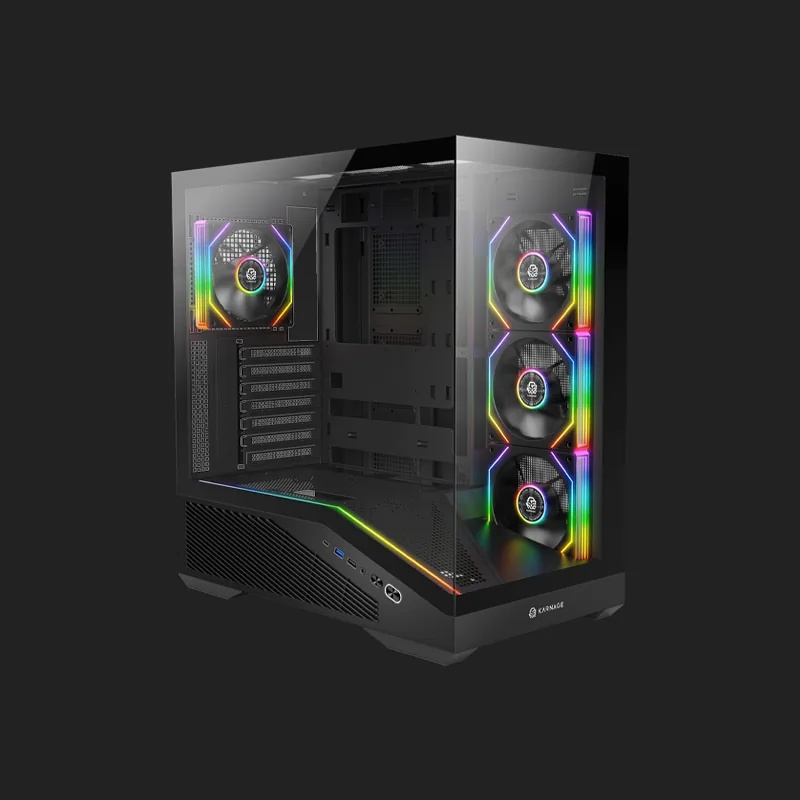
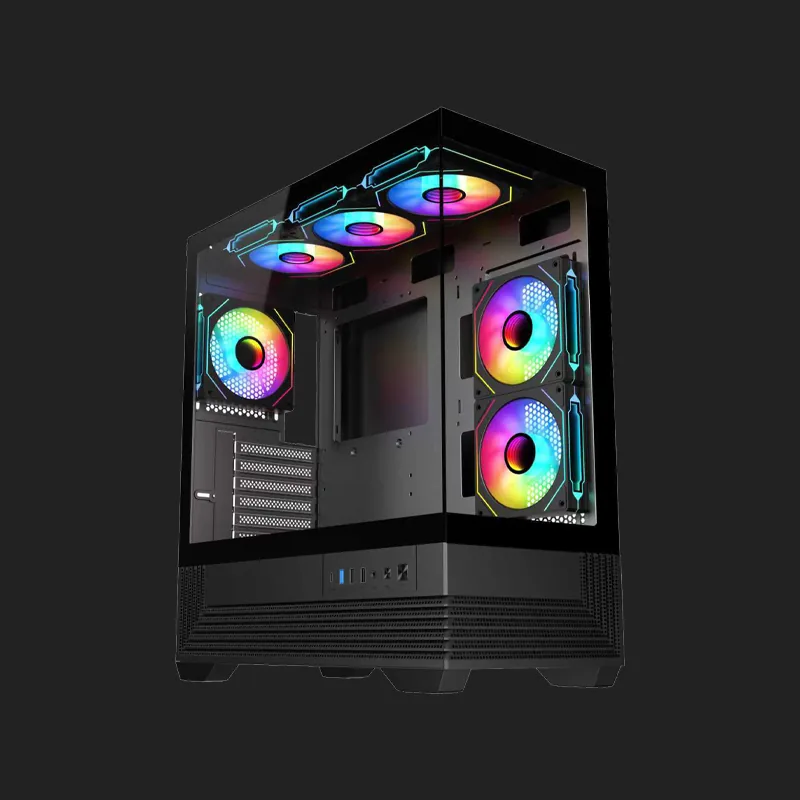
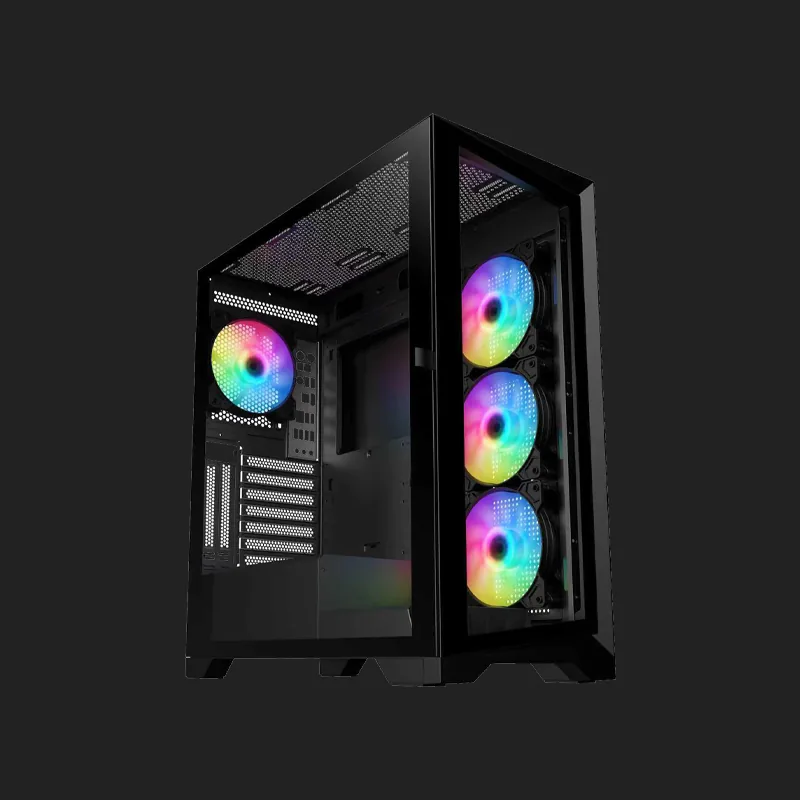
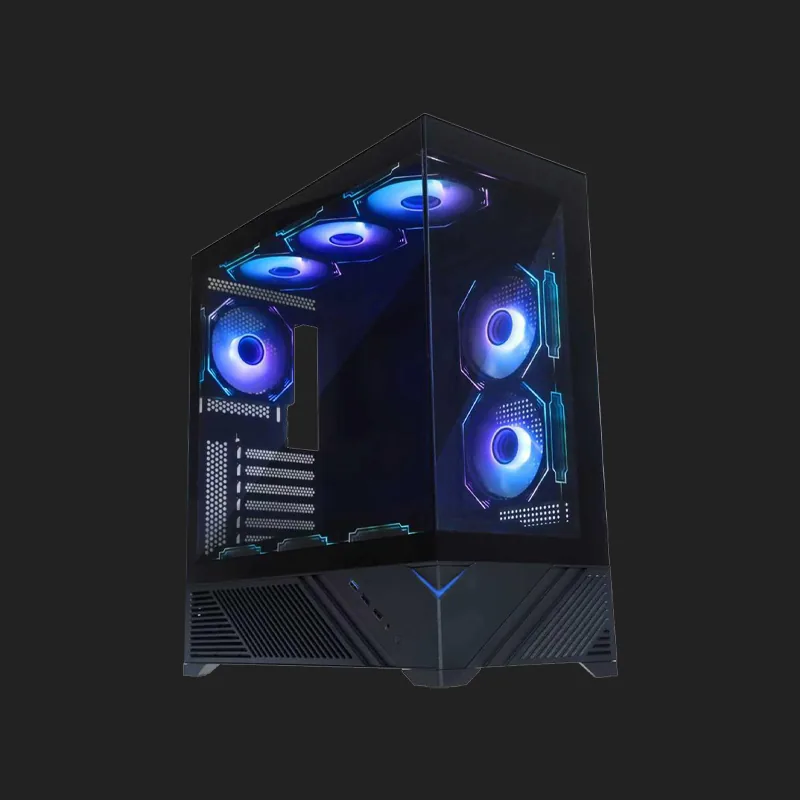
A gaming cabinet is more than just the enclosure that houses your PC components. It plays an important role in airflow, cooling, component compatibility, cable management, and the overall appearance of your gaming setup. Whether you are building your first gaming PC or upgrading an existing system with a powerful graphics card and processor, choosing the right cabinet can help create a stable and well-organized build.
A good gaming cabinet provides enough space for your motherboard, graphics card, CPU cooler, power supply, storage drives, fans, and other components. It should also provide sufficient airflow to move cool air into the system and hot air out.
At Karnage, the gaming cabinet range is designed for modern gaming builds, with features such as airflow-focused panels, radiator support, cable-management space, tempered glass, and ARGB lighting on selected models. The current category includes Hyperbeast, Crusader, Guardian, and Archon, with the displayed price range extending from ₹0 to ₹20,000.
Your cabinet can influence how efficiently the rest of your PC operates. Powerful processors and graphics cards generate significant heat during gaming and other demanding workloads. Without sufficient airflow, hot air can build up inside the chassis and increase component temperatures.
A well-designed gaming cabinet creates a clear path for cool air to enter and hot air to leave. This helps cooling fans work more effectively and can help your components maintain consistent performance during longer gaming sessions.
The cabinet also determines how much room you have for future upgrades. A chassis with adequate GPU clearance, CPU cooler clearance, radiator support, and expansion space gives you greater flexibility when upgrading your PC.
Airflow should be one of the first things to consider when choosing a gaming cabinet. Mesh front panels and properly positioned intake and exhaust fans can help move air through the system.
A high-airflow design can be especially useful for gaming PCs equipped with powerful CPUs and GPUs. Better airflow can help maintain reasonable temperatures without requiring every fan to operate at maximum speed.
Before purchasing a cabinet, check the compatibility of your components. Graphics cards can vary significantly in length, while CPU air coolers can differ in height.
The best cabinet for PC should provide enough clearance for the components you plan to install. It should also leave sufficient room for cable routing and airflow.
The term best CPU cabinet is commonly used when searching for a computer chassis, but the cabinet does not actually contain the CPU alone. It houses the complete PC system, including the motherboard, processor, graphics card, storage, power supply, cooling system, and other hardware.
When looking for the best CPU cabinet, focus on compatibility and cooling rather than simply choosing the largest available model. Check the motherboard form factor supported by the cabinet, maximum GPU length, CPU cooler height, radiator support, fan mounting locations, and power supply compatibility.
Motherboards are available in different form factors, so your cabinet should support the motherboard you plan to install. Before buying the best CPU cabinet, check whether it supports your motherboard size and provides the appropriate mounting points.
Modern graphics cards can be large, particularly high-performance models. Make sure your chosen cabinet has sufficient GPU clearance. A cabinet with adequate internal space can also make installation easier and provide better airflow around the graphics card.
A gaming PC case serves the same basic purpose as a gaming cabinet. The terms “case” and “cabinet” are often used interchangeably to describe the enclosure that houses the internal components of a desktop computer.
When selecting a gaming PC case, look at more than the exterior design. Internal layout, airflow, component clearance, fan support, radiator compatibility, cable-management space, and dust filtration can all influence the quality of your build.
A good gaming PC case should give you enough room to install your components comfortably while keeping cables organized and airflow paths clear.
Cable management is an important part of building a clean gaming PC. A cabinet with space behind the motherboard tray, cable-routing cutouts, and tie-down points can make installation significantly easier.
Keeping cables organized can also help maintain clear airflow paths inside the chassis.
Finding the best cabinet for PC depends on your hardware, available desk space, cooling requirements, and preferred design.
Before purchasing, consider:
The best cabinet for PC should provide enough space for your current components while leaving some room for future upgrades. Choosing a cabinet based only on appearance can result in compatibility problems later, so it is always better to check your hardware specifications before making a purchase.
The best gaming cabinets can vary depending on the type of PC you are building. A compact gaming system may require a smaller chassis, while a high-end PC with a large graphics card and liquid cooler may need more internal space.
For mainstream gaming PCs, a well-designed mid-tower can offer a good balance between size, airflow, compatibility, and upgrade potential. Enthusiast builds may benefit from larger chassis with additional radiator and fan support.
If you have limited desk space, a compact gaming cabinet can help create a smaller and cleaner setup. However, make sure the cabinet still provides adequate clearance for your GPU, CPU cooler, and other components.
Powerful gaming PCs generally benefit from good airflow and additional cooling options. If your system includes a high-end processor and graphics card, look for a gaming PC case with multiple fan mounts and radiator compatibility.
The best cabinet for gaming PC builds should provide a balance between airflow, compatibility, aesthetics, and expandability.
Gaming hardware continues to become more powerful, which means cooling and internal space are increasingly important. A cabinet that supports multiple fans and large radiators can give you more flexibility when selecting your cooling solution.
The best cabinet for gaming PC should also make the building and upgrading process straightforward. Easy-to-remove panels, accessible mounting points, cable-routing openings, and adequate working space can make a significant difference during installation.
Many modern gaming cabinets use tempered glass side panels to showcase internal components. RGB lighting can further enhance the appearance of a gaming PC. Karnage's current cabinet range includes features such as tempered glass panels and ARGB lighting on selected models.
While aesthetics are important to many gamers, they should be considered alongside airflow and compatibility when choosing a gaming cabinet.
The gaming cabinet price can vary depending on size, materials, construction quality, airflow design, fan support, radiator compatibility, RGB lighting, tempered glass, and additional features.
Karnage currently displays four gaming cabinet models in the category the current products shown are Hyperbeast at ₹14,999, Crusader at ₹9,999, Guardian at ₹10,999, and Archon at ₹9,999.
When comparing gaming cabinet price, consider the complete feature set rather than choosing solely based on appearance or the lowest price. A slightly higher-priced chassis may provide better airflow, additional fan mounts, improved cable management, or greater component clearance, making it a better long-term option for your build.
Choosing the best gaming cabinets for your PC starts with understanding your hardware requirements.
Airflow is one of the most important characteristics of a modern gaming cabinet. Cool air needs to enter the system while warm air needs to be exhausted efficiently. A typical airflow configuration uses front or bottom intake fans and rear or top exhaust fans. The exact configuration depends on the cabinet and cooling hardware.
Karnage highlights airflow-focused designs, mesh panels, radiator support, and cable routing across its cabinet range. Good airflow can help your cooling system operate more efficiently and can contribute to stable performance during demanding gaming sessions.
A PC cabinet is something you may keep for several hardware upgrades, so it is worth considering future compatibility. Graphics cards, cooling systems, and storage requirements can change as you upgrade your PC. Choosing a chassis with additional clearance and mounting options can reduce the need to replace the entire cabinet when you upgrade individual components.
The best cabinet for gaming PC should therefore support not just your current hardware but also reasonable future upgrades.
A gaming cabinet is the enclosure that houses the components of a gaming PC, including the motherboard, CPU, graphics card, storage, power supply, and cooling hardware.
The best CPU cabinet depends on your motherboard, graphics card, CPU cooler, cooling requirements, and available space. Look for a cabinet with suitable compatibility, airflow, and upgrade capacity.
The best cabinet for PC should support your motherboard, GPU, CPU cooler, power supply, storage, and cooling requirements. Also consider airflow, cable management, dimensions, and future upgrades.
The best gaming cabinets for high-end systems should provide strong airflow, sufficient GPU and CPU cooler clearance, multiple fan mounts, and radiator support. Always check the specifications against your hardware.
The gaming cabinet price is influenced by factors such as size, construction, airflow design, tempered glass, RGB lighting, fan support, radiator compatibility, and overall build quality.
Yes, indirectly. A poorly ventilated gaming cabinet can allow component temperatures to rise, while a well-designed chassis can provide better airflow and help cooling systems operate effectively.
The ideal number depends on the cabinet and components. A common setup uses front intake fans and a rear exhaust fan, while demanding systems may benefit from additional airflow. Fan placement and airflow direction are also important.
Not necessarily. A larger gaming PC case can provide more room for components and cooling, but a well-designed smaller chassis can also provide excellent airflow. Choose based on your hardware and requirements.
Many modern gaming cabinets support liquid-cooling radiators. Karnage states that selected models in its range support 240mm and 360mm radiator mounting, with exact support depending on the individual model.
For a gaming cabinet, airflow should generally be prioritized because it directly affects cooling. RGB lighting can then be considered according to your preferred gaming setup and aesthetics.
.webp)