.webp)
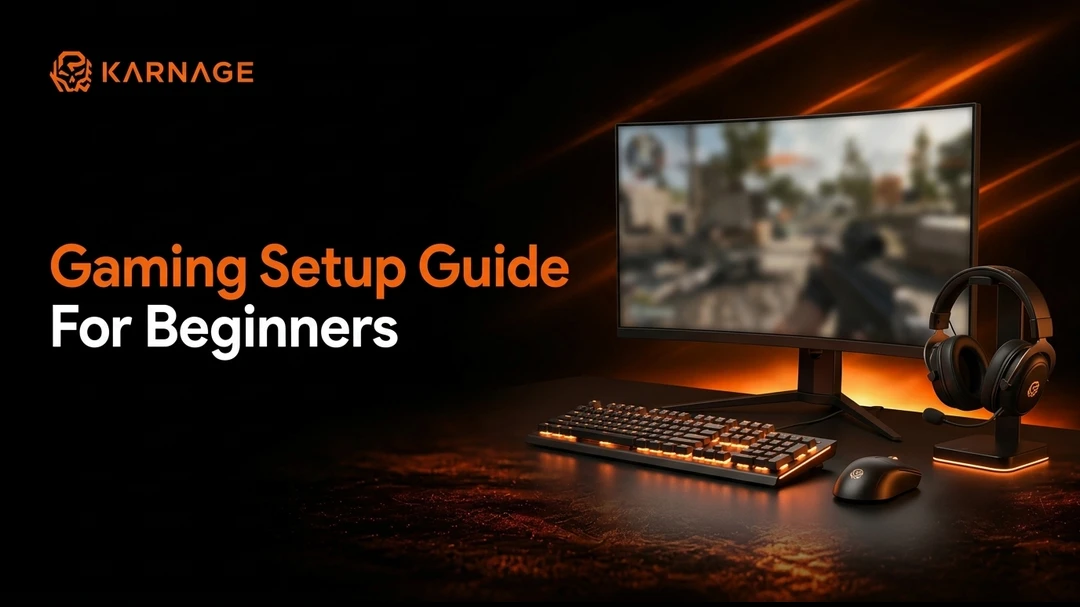
Building your first gaming setup is an exciting step, whether you're a casual gamer looking to enjoy immersive single-player titles or someone aiming to compete in fast-paced multiplayer games like Valorant, Counter-Strike 2, Apex Legends, Fortnite, or Call of Duty. A thoughtfully designed gaming setup does more than make your desk look impressive it directly impacts your comfort, performance, and overall gaming experience. The right combination of hardware, peripherals, and workspace can help you react faster, stay comfortable during long gaming sessions, and create an environment that keeps you focused.
Many beginners assume that building a gaming setup requires spending thousands on high-end components. While premium gaming gear certainly has its advantages, creating a reliable and enjoyable setup doesn't have to break the bank. The key is understanding which components matter the most and investing in quality where it counts. A balanced setup with a capable computer, responsive gaming peripherals, and an ergonomic workspace often delivers a better experience than an expensive system paired with poor accessories.
In this guide, you'll learn everything you need to know about creating the ideal PC gaming setup, including what you need for a gaming setup, how much a gaming setup price typically costs, and practical advice for building your own gaming room without overspending.
Table of Contents
- What is a Gaming Setup?
- What You Need for a Gaming Setup
- Gaming Room Setup Ideas for Beginners
- PC Gaming Setup vs Laptop Gaming Setup
- How to Make a Gaming Setup with a Laptop
- Gaming Setup Price
- How Much Does a Gaming Setup Cost?
- Tips for Building the Perfect Gaming Setup
- Conclusion
- Frequently Asked Questions
What is a Gaming Setup?
A gaming setup refers to the complete collection of hardware, peripherals, furniture, and accessories that work together to create an enjoyable gaming environment. While most people immediately think of a gaming PC or laptop, a proper setup extends far beyond the computer itself. Your monitor, keyboard, mouse, headset, chair, desk, lighting, and even cable management all contribute to how comfortable and immersive your gaming sessions feel.
A well-designed gaming setup should support both performance and comfort. Competitive gamers rely on responsive peripherals and high-refresh-rate displays to improve reaction times, while casual gamers often prioritise visual quality and comfort for extended play sessions. Regardless of your gaming style, the goal remains the same to create a workspace that allows you to enjoy games without distractions or discomfort.
The best gaming setups are also designed with future upgrades in mind. Instead of replacing everything at once, many gamers gradually improve their setup by upgrading individual components as their needs and budget grow. This approach makes building your dream gaming station much more affordable while ensuring every purchase adds genuine value.
What You Need for a Gaming Setup
One of the most common questions asked by first-time gamers is what you need for a gaming setup. Although every setup is unique, there are a few essential components that form the foundation of any great gaming experience. Understanding the role of each component will help you make informed purchasing decisions and avoid spending money on unnecessary accessories.
Gaming PC or Gaming Laptop
The computer is the heart of every gaming setup. It determines which games you can play, the graphical settings you can enjoy, and the overall smoothness of your gaming experience. If you're building a dedicated gaming station at home, a desktop gaming PC usually offers the best performance for the money. Desktop computers provide superior cooling, better upgrade options, and the flexibility to replace individual components over time.
However, gaming laptops have become increasingly powerful over the last few years and are an excellent choice for students, professionals, or anyone who requires portability. Modern gaming laptops are capable of handling demanding games while allowing users to carry their entire gaming setup wherever they go.
When choosing between a desktop and a laptop, focus on the processor, graphics card, available memory, and storage rather than simply looking at brand names. A balanced system with a capable CPU, dedicated GPU, sufficient RAM, and a fast SSD will deliver a noticeably smoother gaming experience than a machine with only one high-end component.
Choosing the Right Gaming Monitor
A gaming monitor is one of the most important investments in any PC gaming setup because it determines how smoothly your games are displayed. While a powerful graphics card renders every frame, your monitor is responsible for showing those frames accurately. Even the fastest gaming PC cannot deliver a smooth visual experience if it's connected to an outdated display.
For beginners, a Full HD monitor with a refresh rate of at least 144Hz provides an excellent balance between performance and affordability. Higher refresh rates make movement appear smoother, allowing players to track enemies more accurately during fast-paced games. This difference becomes particularly noticeable in competitive shooters where every millisecond matters.
Screen size and panel technology also play an important role. IPS panels generally offer better colour accuracy and wider viewing angles, making them suitable for both gaming and everyday use. As your budget increases, you can consider larger displays or higher resolutions, but for most beginners, a quality 1080p gaming monitor remains the ideal starting point.
Why a Gaming Keyboard Matters
Although almost any keyboard can launch a game, a dedicated gaming keyboard offers several advantages that become increasingly noticeable over time. Mechanical wireless gaming keyboards provide faster response times, better durability, and more consistent key presses than standard office keyboards. They are specifically designed to withstand millions of keystrokes while delivering satisfying tactile feedback during gameplay.
In competitive games, rapid movement and precise key inputs are essential. A gaming keyboard helps ensure that every command is registered accurately, whether you're quickly switching weapons, activating abilities, or executing complex combinations. Features such as anti-ghosting and N-key rollover allow multiple keys to be pressed simultaneously without missing inputs, giving players greater confidence during intense gaming moments.
Beyond performance, gaming keyboards also contribute to the overall appearance of your setup. Many models include customisable RGB lighting, programmable keys, and premium build materials that enhance both functionality and aesthetics. While these features may not directly improve gameplay, they help create a more personalised gaming environment.
Selecting the Right Gaming Mouse
Among all gaming peripherals, the gaming mouse arguably has the greatest impact on performance, especially in first-person shooters. Every movement you make, every target you track, and every shot you take depends on the accuracy of your mouse sensor and the comfort of its design.
A quality gaming mouse combines a precise optical sensor with adjustable DPI settings, high polling rates, durable switches, and an ergonomic shape suited to your grip style. Rather than chasing extremely high DPI numbers, beginners should focus on finding a mouse that feels comfortable in their hand and offers consistent tracking across different gaming scenarios.
Comfort is equally important. Since gamers often spend several hours using their mouse each day, selecting a design that supports your natural hand position can reduce fatigue and improve long-term accuracy. Whether you prefer palm grip, claw grip, or fingertip grip, choosing a mouse that complements your style will have a greater impact than simply buying the most expensive option available.
Why Every Gamer Needs a Quality Headset
Sound plays a much bigger role in gaming than many beginners realise. A quality wired gaming headset or wireless doesn't just let you hear background music or dialogue it helps you identify enemy footsteps, pinpoint gunfire, communicate clearly with teammates, and react faster to in-game events.
Competitive multiplayer games rely heavily on positional audio. Hearing an opponent approach from behind or recognising the direction of incoming footsteps can often provide a significant advantage before you even see the enemy. This makes investing in a comfortable gaming headset almost as important as choosing a good mouse or keyboard.
Comfort should never be overlooked either. Soft ear cushions, an adjustable headband, lightweight construction, and a clear microphone all contribute to a more enjoyable gaming experience, especially during extended sessions with friends or teammates.
Don't Underestimate the Mouse Pad
While often overlooked, a gaming mouse pad is an essential part of any gaming setup. It provides a smooth and consistent surface that allows the mouse sensor to track movement accurately. Even the most advanced gaming mouse cannot perform at its best on an uneven or unsuitable surface.
Larger mouse pads have become increasingly popular because they offer plenty of room for wide arm movements, particularly among FPS players who use lower sensitivity settings. They also create a cleaner and more organised desk appearance by placing both the keyboard and mouse on the same surface.
A quality mouse pad not only improves tracking accuracy but also protects your desk from wear and helps extend the lifespan of your gaming mouse's feet. It's a relatively small investment that can noticeably improve your overall gaming experience.
Choosing the Right Gaming Cabinet
Selecting the right gaming cabinet is more important than many beginners realise. A gaming cabinet isn't just about RGB lighting or aesthetics it plays a vital role in airflow, cooling, cable management, and future upgrades. A well-designed cabinet provides enough space for your graphics card, CPU cooler, storage drives, and additional cooling components while keeping everything organised and easy to maintain.
When choosing a gaming cabinet, look for features such as good airflow, mesh front panels, adequate cable routing space, dust filters, and support for multiple case fans or liquid cooling if you plan to upgrade in the future. A spacious cabinet also makes installing new hardware much easier. Investing in a quality gaming cabinet helps maintain lower system temperatures, reduces dust buildup, and ensures your gaming PC remains reliable for years to come.
Why Case Fans Are Important
Many first-time PC builders overlook case fans, but they play a crucial role in maintaining your system's performance. High-performance components such as the processor and graphics card generate significant heat during gaming sessions. Without proper airflow, temperatures can rise quickly, leading to reduced performance, louder fan noise, or even thermal throttling.
A good airflow setup uses intake fans to draw cool air into the cabinet and exhaust fans to remove hot air, creating a continuous flow of fresh air through the system. This helps keep internal components cooler, improving stability and extending their lifespan. While most gaming cabinets include one or two pre-installed fans, adding quality case fans can significantly improve cooling, especially if you're using a powerful gaming PC or planning future hardware upgrades. For the best gaming experience, always ensure your cabinet and case fans work together to provide efficient airflow and consistent cooling.
Gaming Room Setup Ideas for Beginners
Once you've selected the essential gaming hardware, it's time to focus on the space itself. A well-planned gaming room setup can make your gaming sessions more enjoyable, organised, and comfortable. Contrary to popular belief, you don't need a large dedicated room or expensive décor to create an attractive gaming environment. Even a small bedroom or home office can be transformed into a functional gaming station with thoughtful planning.
The first step is choosing the right location. Ideally, place your setup where there is adequate ventilation and minimal glare from windows or bright lights. Natural lighting is great during the day, but direct sunlight reflecting on your monitor can reduce visibility and cause eye strain. Positioning your desk against a wall also helps create a cleaner appearance while leaving enough room for cable management and future upgrades.
Comfort should always take priority over aesthetics. A sturdy desk with sufficient space for your monitor, keyboard, mouse, and other accessories provides a solid foundation for your setup. Pairing this with an ergonomic gaming chair helps maintain good posture, reducing fatigue during long gaming sessions. Small additions like monitor arms, headphone stands, and cable organisers can further improve both functionality and appearance without requiring a significant investment.
RGB lighting has become one of the defining features of modern gaming rooms. While it isn't essential for gameplay, carefully placed LED strips or RGB desk lights can create an immersive atmosphere, especially during evening gaming sessions. The key is moderation a clean, well-lit gaming space often looks more premium than one overloaded with colourful lighting.
PC Gaming Setup vs Laptop Gaming Setup
One of the biggest decisions beginners face is whether to build a PC gaming setup or use a gaming laptop. Both options have their advantages, and the right choice depends on your lifestyle, budget, and gaming habits.
A desktop gaming PC is generally the preferred option for gamers who primarily play at home. Desktop computers offer better cooling, higher performance, easier upgrades, and improved value for money. If you decide to replace your graphics card or add more storage in the future, upgrading a desktop is relatively simple. This flexibility allows your gaming setup to evolve over time rather than requiring an entirely new system.
Gaming laptops, however, have become significantly more powerful in recent years. They are ideal for students, professionals, or anyone who frequently travels and needs a portable gaming solution. Although upgrade options are more limited, today's gaming laptops can comfortably handle popular esports titles and many modern AAA games.
Performance isn't the only factor to consider. If your workspace is limited, a laptop-based gaming setup occupies much less space and offers greater flexibility. You can easily connect an external monitor, gaming keyboard, gaming mouse, and headset when gaming at home while still enjoying the convenience of portability when needed.
Ultimately, neither option is universally better. A desktop excels in performance and long-term value, while a laptop offers unmatched convenience. The best choice depends on how and where you plan to game.
How to Make a Gaming Setup with a Laptop
If you already own a laptop, you may wonder how to make a gaming setup with a laptop that feels comparable to a desktop gaming station. Fortunately, building an excellent laptop gaming setup is easier than ever, thanks to the wide range of accessories available today.
The first upgrade most gamers make is adding an external gaming monitor. A larger display with a higher refresh rate provides a much more immersive experience than the laptop's built-in screen. Positioning the laptop on a stand also improves airflow while bringing the display closer to eye level, reducing neck strain during extended gaming sessions.
Connecting a mechanical gaming keyboard and a dedicated gaming mouse further enhances both comfort and performance. These peripherals are typically more responsive and ergonomic than the laptop's built-in keyboard and trackpad, making competitive games significantly more enjoyable.
A quality gaming headset, a spacious mouse pad, and proper cable management complete the setup. If your laptop has limited USB ports, a powered USB hub can simplify connecting multiple devices without constantly swapping cables. With the right accessories, a laptop gaming setup can closely replicate the experience of a desktop while maintaining the flexibility to travel whenever necessary.
Gaming Setup Price
One of the first questions most beginners ask is about the gaming setup price. The total investment depends on several factors, including the type of games you play, your performance expectations, and whether you're starting from scratch or upgrading existing equipment.
Entry-level gaming setups are suitable for casual gaming and popular esports titles. It generally includes a budget gaming PC or laptop, a Full HD monitor, an entry-level gaming keyboard and mouse, a headset, and basic furniture. These setups provide an excellent starting point for new gamers without requiring a substantial investment.
Mid-range setups offer noticeably better performance and are capable of handling demanding modern games with higher graphical settings and smoother frame rates. In addition to more powerful hardware, mid-range setups often include a 144Hz monitor, mechanical keyboard, precision gaming mouse, and an ergonomic chair, making them an ideal choice for serious gamers seeking long-term value.
High-end gaming setups are designed for enthusiasts, competitive players, and content creators who demand maximum performance. These systems typically feature premium processors, flagship graphics cards, high-refresh-rate monitors, advanced cooling solutions, and top-tier gaming peripherals. While impressive, such setups are unnecessary for most beginners and should only be considered if your budget comfortably allows.
Rather than purchasing the most expensive components immediately, it's often wiser to invest in a balanced setup that can be upgraded gradually as your gaming needs evolve.
How Much Does a Gaming Setup Cost?
The question "How much does a gaming setup cost?" doesn't have a single answer because gaming setups vary widely depending on your performance goals, preferred games, and the quality of components you choose.
A beginner gaming setup in India typically costs between ₹50,000 and ₹80,000. This budget is ideal for gamers who want to play popular esports titles such as Valorant, Counter-Strike 2, Fortnite, and Apex Legends at 1080p with reliable performance. These setups focus on delivering the best value by balancing capable hardware with affordable gaming peripherals.
A mid-range gaming setup generally falls between ₹80,000 and ₹1,50,000. At this price point, you can expect smoother gameplay, higher graphics settings, faster SSD storage, more RAM, and better-quality peripherals such as a mechanical gaming keyboard, a high-precision gaming mouse, and a high refresh rate monitor. For most gamers, this represents the ideal balance between performance and long-term value.
A high-end or premium gaming setup usually starts at ₹1,50,000 and can exceed ₹3,00,000 or more, depending on the hardware and accessories you choose. These setups feature flagship processors, powerful graphics cards, premium gaming monitors, custom cooling solutions, RGB lighting, streaming equipment, and multi-monitor configurations. While they deliver exceptional gaming performance, they're primarily intended for enthusiasts, competitive gamers, and content creators rather than beginners.
Instead of focusing only on the total price, consider the long-term value of your purchases. High-quality peripherals such as a gaming keyboard, gaming mouse, monitor, and headset often last through multiple PC upgrades, making them worthwhile investments that enhance your gaming experience for years to come.
Tips for Building the Perfect Gaming Setup
Building the perfect gaming setup isn't about spending the most money it's about making smart decisions that improve your overall gaming experience. Start by investing in the components that have the greatest impact on gameplay, such as your computer, monitor, mouse, and keyboard. These items directly affect responsiveness, visual quality, and comfort.
As your budget grows, you can gradually enhance your setup with better furniture, improved lighting, upgraded audio equipment, or decorative accessories. This phased approach allows you to enjoy your gaming setup immediately while avoiding unnecessary expenses.
Keeping your workspace clean and organised is equally important. Proper cable management, regular dust cleaning, and thoughtful desk organisation not only improve aesthetics but also help your equipment perform reliably for years. A tidy gaming setup creates a more enjoyable environment, reduces distractions, and reflects a professional approach to gaming.
Finally, remember that the perfect gaming setup is the one that suits your individual needs. Whether you're playing casually after work, competing in ranked matches, or streaming to an online audience, your setup should support your goals rather than simply following the latest trends.
Conclusion
Creating the perfect gaming setup doesn't require the most expensive hardware or a dedicated gaming room. By focusing on the essential components, choosing quality peripherals, and designing a comfortable workspace, beginners can build a setup that delivers excellent performance while staying within budget.
Whether you choose a powerful PC gaming setup or decide how to make a gaming setup with a laptop, the most important factor is selecting equipment that matches your gaming style and future upgrade plans. Understanding what you need for a gaming setup, planning your gaming room setup, and estimating the gaming setup price before making purchases will help you avoid costly mistakes and build a setup you'll enjoy for years.
As your experience grows, you can continue upgrading individual components rather than replacing your entire system. This gradual approach not only saves money but also ensures your gaming setup evolves alongside your skills and gaming preferences.
If you're looking for reliable gaming peripherals to complete your setup, explore the range of Karnage Gaming Keyboards, Gaming Mouse, Gaming Headsets, and Mouse Pads. Designed for gamers of all skill levels, Karnage products combine performance, durability, and value to help you create a gaming setup that's ready for every challenge.
Frequently Asked Questions (FAQs)
1. What do you need for a gaming setup?
A basic gaming setup includes a gaming PC or laptop, monitor, keyboard, mouse, headset, mouse pad, desk, chair, and a stable internet connection. These essentials provide a comfortable and enjoyable gaming experience.
2. How much does a gaming setup cost?
The cost depends on your requirements. Entry-level setups in India typically cost between ₹50,000 and ₹80,000, mid-range setups range from ₹80,000 to ₹1,50,000, while high-end setups can exceed ₹2,00,000+.
3. Is a gaming PC better than a gaming laptop?
A gaming PC generally offers better performance, cooling, and upgradeability for the price. A gaming laptop is better suited for users who need portability and flexibility to play anywhere.
4. Can I build a gaming setup with a laptop?
Yes. By connecting an external monitor, mechanical gaming keyboard, gaming mouse, headset, and using a laptop stand for airflow, you can create a highly functional gaming station using a laptop.
5. What is the most important part of a gaming setup?
The gaming PC or laptop forms the foundation, but a quality high-refresh-rate monitor, responsive gaming mouse, and mechanical keyboard have the greatest day-to-day impact on gaming performance.
6. Do I need RGB lighting for a gaming setup?
No. RGB lighting is optional and mainly enhances aesthetics and ambience. It doesn't improve performance, but clean lighting can create a more immersive and personalized gaming atmosphere.
7. What monitor should beginners choose?
A 24-inch or 27-inch Full HD (1080p) IPS monitor with a 144Hz refresh rate is an excellent starting choice for beginners, balancing smooth motion and affordability.
8. How can I improve my gaming setup on a budget?
Prioritise essential hardware and core peripherals (mouse, keyboard, mousepad) first, focus on cable management and lighting, then gradually upgrade your desk, chair, and audio as your budget allows.
9. Is an ergonomic chair worth buying?
Yes. An ergonomic chair provides proper lumbar support, improves posture, reduces back and neck fatigue, and ensures healthy comfort during long gaming and work sessions.
10. Which gaming peripherals should I buy first?
After your computer and monitor, invest in a quality gaming mouse, a mechanical keyboard, a gaming headset, and a large smooth mouse pad to maximise both comfort and in-game precision.