.webp)
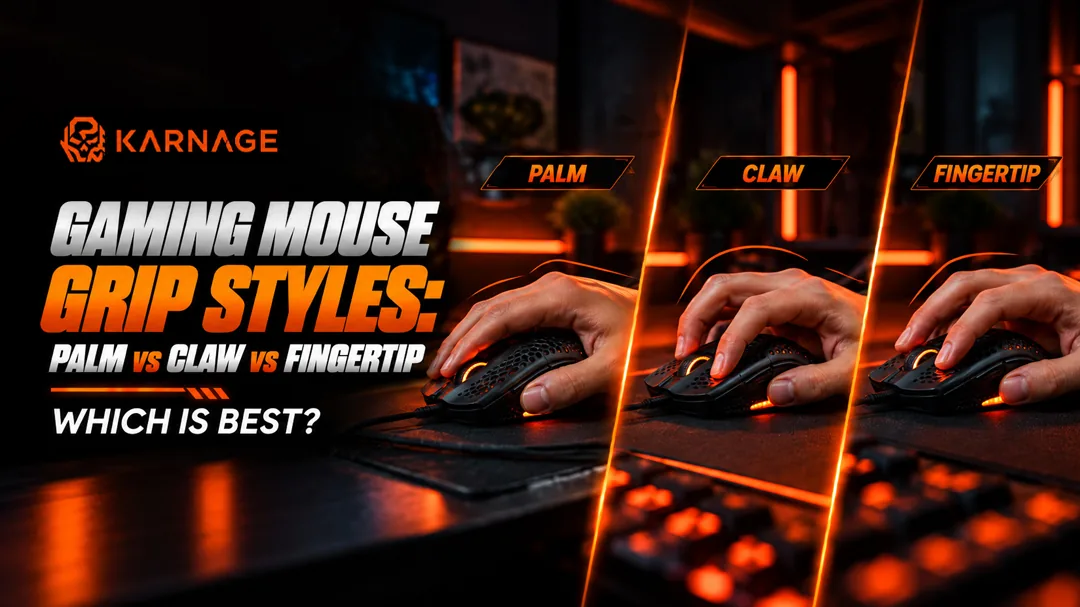
Table of Contents
- What Are Mouse Grips?
- Palm Grip
- Claw Grip
- Fingertip Grip
- Palm vs Claw vs Fingertip: What's the Difference?
- Which Mouse Grip Is Best for FPS Games?
- Which Mouse Grip Is Best for MOBA Games?
- Which Mouse Grip Is Best for MMO Games?
- How Does Hand Size Affect Mouse Grip?
- How Mouse Weight Affects Your Grip
- How to Find Your Natural Mouse Grip
- Should You Change Your Mouse Grip?
- How to Choose a Gaming Mouse for Your Grip
- Palm vs Claw vs Fingertip: Which Is Best?
- Final Thoughts
- Frequently Asked Questions (FAQs)
Choosing the right gaming mouse is not only about DPI, sensor performance, weight, or RGB lighting. The way you hold your mouse can also affect comfort, movement, and control. This is where understanding different mouse grips becomes important. The three most common mouse grips are palm grip, claw grip, and fingertip grip. Each style changes how your hand contacts the mouse and how you control its movement. Some gamers prefer the stability of a palm grip, while others enjoy the faster movements offered by a fingertip grip. Claw grip sits somewhere between the two and provides a combination of control and mobility.
So, which of these mouse grips is right for you? Let's break down each style, its advantages and disadvantages, and the type of gaming it may suit.
What Are Mouse Grips?
Mouse grips describe the way your hand and fingers naturally rest on and control a gaming mouse.
Your grip can influence:
- Mouse movement
- Aim control
- Wrist movement
- Precision
- Comfort
- Fatigue during long gaming sessions
- The type and shape of mouse you should consider
The three primary mouse grips are:
- Palm grip
- Claw grip
- Fingertip grip
There is no single grip that works perfectly for every gamer. Your hand size, mouse shape, game genre, sensitivity settings, and personal comfort all matter when choosing between different mouse grips.
Palm Grip
Palm grip is one of the most relaxed and common mouse grips. With this grip, most of your palm rests on the mouse while your fingers extend naturally over the buttons. Your hand remains in contact with a large portion of the mouse, providing stability during movement.
Advantages of Palm Grip
Palm grip can be comfortable for gamers who prefer slower, controlled movements. Benefits include:
- Good overall hand support
- Comfortable for long gaming sessions
- Stable mouse movement
- Less tension in the fingers
- Suitable for larger mice
- Good control for broad arm movements
Because much of your hand rests on the mouse, palm grip can feel natural for gamers who don't want their fingers constantly raised.
Disadvantages of Palm Grip
Palm grip can also reduce some wrist and finger mobility. Potential drawbacks include:
- Less rapid wrist movement
- Larger mice may feel cumbersome for smaller hands
- Quick micro-adjustments may feel slower
- Not every mouse shape works comfortably with a palm grip
If you naturally use a palm grip, look for a mouse that provides enough length and height to support your entire hand.
Claw Grip
Claw grip sits between palm and fingertip styles. With this grip, the heel or rear portion of your palm may contact the mouse while your fingers curve upward in a claw-like position. Among the three major mouse grips, claw grip offers a balance between stability and quick movement.
Advantages of Claw Grip
Claw grip can provide:
- Good precision
- Faster clicking
- Greater wrist mobility
- Better control for quick adjustments
- A balance between palm and fingertip control
This makes claw grip popular among gamers who want both stability and responsiveness.
Disadvantages of Claw Grip
The curved finger position can become uncomfortable for some users during extended gaming sessions. Potential drawbacks include:
- More finger tension
- May require adjustment when switching from palm grip
- Not ideal for every hand size
- Mouse shape becomes particularly important
A mouse with a suitable rear hump can provide additional support for gamers who naturally use a claw grip.
Fingertip Grip
Fingertip grip is the most minimal-contact style of the three mouse grips. Only your fingertips generally contact the mouse while your palm remains off the mouse body. This allows your fingers and wrist to make small, quick movements.
Advantages of Fingertip Grip
Fingertip grip can offer:
- Excellent wrist mobility
- Fast micro-adjustments
- Lightweight feeling
- Quick directional changes
- Less palm contact
- Good control for rapid movements
Gamers who enjoy lightweight mice and quick movements may naturally prefer this grip.
Disadvantages of Fingertip Grip
The reduced contact with the mouse can also make it harder for some users to maintain stability. Potential drawbacks include:
- Less overall hand support
- Can become tiring for some users
- Requires greater finger control
- May feel less stable for certain precision-focused situations
When choosing a mouse for fingertip grip, a shorter or lower-profile mouse may feel more comfortable because it reduces unwanted palm contact.
Palm vs Claw vs Fingertip: What's the Difference?
Here's a quick comparison of the three main mouse grips:
The table shows the general characteristics of these mouse grips, but your personal preference remains important.
Which Mouse Grip Is Best for FPS Games?
FPS games often require accurate aiming, quick reactions, and consistent mouse control. Palm grip can provide stability for controlled movements, while claw grip offers a balance of precision and mobility. Fingertip grip can provide very quick adjustments but may require more precise finger control.
Games such as competitive shooters can therefore work with different mouse grips, depending on the player's sensitivity settings, hand size, mouse shape, and personal preference.
Rather than choosing a grip based solely on the game, it's better to find the grip that allows you to aim comfortably and consistently.
Which Mouse Grip Is Best for MOBA Games?
MOBA games require a combination of cursor movement, clicking accuracy, and quick access to abilities and menus. Claw grip can be useful because it provides a balance between stability and quick movements. However, palm and fingertip mouse grips can also work well depending on the player's preferences and the mouse being used. For MOBA gaming, button placement can be just as important as grip style.
Which Mouse Grip Is Best for MMO Games?
MMO games often require frequent clicking and access to multiple abilities. For this type of gaming, the number and placement of mouse buttons can become important. Players may prefer a comfortable palm or claw grip that allows them to reach additional buttons without changing their hand position. The grip itself should therefore be considered together with the mouse's shape, weight, and button layout.
How Does Hand Size Affect Mouse Grip?
Hand size plays an important role when choosing between different mouse grips. A mouse that feels comfortable for someone with large hands may feel too large for someone with smaller hands.
Small Hands
Gamers with smaller hands may find shorter and narrower mice easier to control, particularly when using fingertip or claw grips.
Medium Hands
Medium-sized hands generally have a wider range of compatible mouse shapes, although individual preferences still vary.
Large Hands
Gamers with larger hands may prefer longer or taller mice that provide additional palm support. The important thing is not to force your hand into a particular grip. Your mouse should allow your hand to rest naturally.
How Mouse Weight Affects Your Grip
Mouse weight can also change how different mouse grips feel. A lightweight mouse may feel easier to move quickly, while a heavier mouse can provide a more grounded feeling.
For fingertip grip, a lightweight mouse may be particularly appealing because the user relies heavily on fingers and wrist movements. For palm grip, weight may be less important than the overall shape and ergonomic support. Ultimately, there isn't a universally correct mouse weight. Comfort and control should guide your choice.
How to Find Your Natural Mouse Grip
Not sure which of the three mouse grips you use? Try this simple test:
- Place your hand naturally on your mouse.
- Don't consciously change your hand position.
- Look at where your palm and fingers touch the mouse.
- Check how much of your palm contacts the mouse.
- Observe whether your fingers are flat or curved.
If Your Palm and Fingers Rest on the Mouse: You most likely use a palm grip.
If Your Palm Heel Touches the Mouse and Fingers Curve: You likely use a claw grip.
If Only Your Fingertips Touch the Mouse: You are probably using a fingertip grip.
Should You Change Your Mouse Grip?
You don't necessarily need to change your grip if you're comfortable and performing well. However, experimenting with different mouse grips can be useful if you experience:
- Hand discomfort
- Wrist fatigue
- Difficulty aiming
- Poor control
- Limited movement
- Finger tension
- Inconsistent performance
A different grip combined with a different mouse shape may improve comfort. However, changing your grip can take time. Don't expect immediate improvement after switching.
How to Choose a Gaming Mouse for Your Grip
Your grip should be one of the factors you consider when choosing a gaming mouse. Look at:
- Hand size
- Mouse length, width, and height
- Weight
- Rear hump placement
- Button placement
- Sensor performance
- Shape ergonomics
- Wired or wireless connectivity
If you are looking for a mouse specifically suited to your grip, explore our range of gaming mice and compare different shapes and designs.
Your mousepad can also influence how your mouse feels during gameplay. A suitable gaming mousepad provides a consistent surface for mouse movement and complements your preferred grip.
Palm vs Claw vs Fingertip: Which Is Best?
There isn't one universally best option among the three mouse grips:
- Palm Grip: Choose palm grip if you prefer stability, comfort, full-hand support, and slower, controlled movements.
- Claw Grip: Consider claw grip if you want a balance between stability and mobility, quick clicking, good wrist movement, and versatility across genres.
- Fingertip Grip: Fingertip grip may suit you if you prefer maximum wrist mobility, fast micro-adjustments, minimal palm contact, and lightweight mouse movement.
The most suitable grip is ultimately the one that feels natural and allows you to control your mouse comfortably and consistently.
Final Thoughts
Understanding mouse grips can help you choose a gaming mouse that feels comfortable and suits the way you play. Palm grip provides stability and full-hand support, claw grip offers a balance between precision and mobility, while fingertip grip allows greater finger and wrist movement.
Instead of asking which grip is universally the best, focus on which grip feels natural for your hand and gives you consistent control.
Once you understand your grip, you can choose a mouse based on its shape, size, weight, and features. And if you're building a complete gaming setup, pairing your mouse with the right gaming mousepad, gaming keyboard, and gaming headset can further improve your overall experience.
Frequently Asked Questions (FAQs)
1. What are the three main mouse grips?
The three primary mouse grips are palm grip, claw grip, and fingertip grip. They differ mainly in how much of your palm and fingers contact the mouse.
2. Which mouse grip is best for gaming?
There is no single best grip for every gamer. Palm, claw, and fingertip mouse grips can all work effectively depending on your hand size, mouse shape, game, and personal preference.
3. Is palm grip better than claw grip?
Neither is universally better. Palm grip generally emphasizes stability and comfort, while claw grip provides a combination of stability and faster wrist and finger movement.
4. Is claw grip good for FPS games?
Yes. Claw grip can provide a useful balance of precision and mobility for FPS gaming. However, your mouse shape, sensitivity, and hand size also affect your experience.
5. Is fingertip grip good for gaming?
Yes. Fingertip grip can provide fast movements and quick micro-adjustments. It may require more finger control and can feel less stable for some players.
6. How do I know which mouse grip I use?
Place your hand naturally on your mouse and observe which parts of your hand make contact. Your palm and fingers indicate palm grip, a curved finger position with rear palm contact indicates claw grip, and fingertip-only contact indicates fingertip grip.
7. Does hand size matter when choosing a mouse grip?
Yes. Hand size can affect which mouse shapes and sizes feel comfortable. Smaller hands may prefer shorter mice, while larger hands may need additional length and height.
8. Can I change my mouse grip?
Yes. You can experiment with different mouse grips, although changing your natural grip may take time to become comfortable.
9. Does mouse weight matter for different grips?
Yes. Mouse weight can influence how quickly and easily you can move the mouse. Lightweight mice can feel particularly responsive, while heavier mice may feel more stable.
10. Should I choose my mouse based on my grip?
Yes. Your grip should be one of the factors you consider when buying a gaming mouse. Shape, size, weight, button placement, and hand size should also be considered.